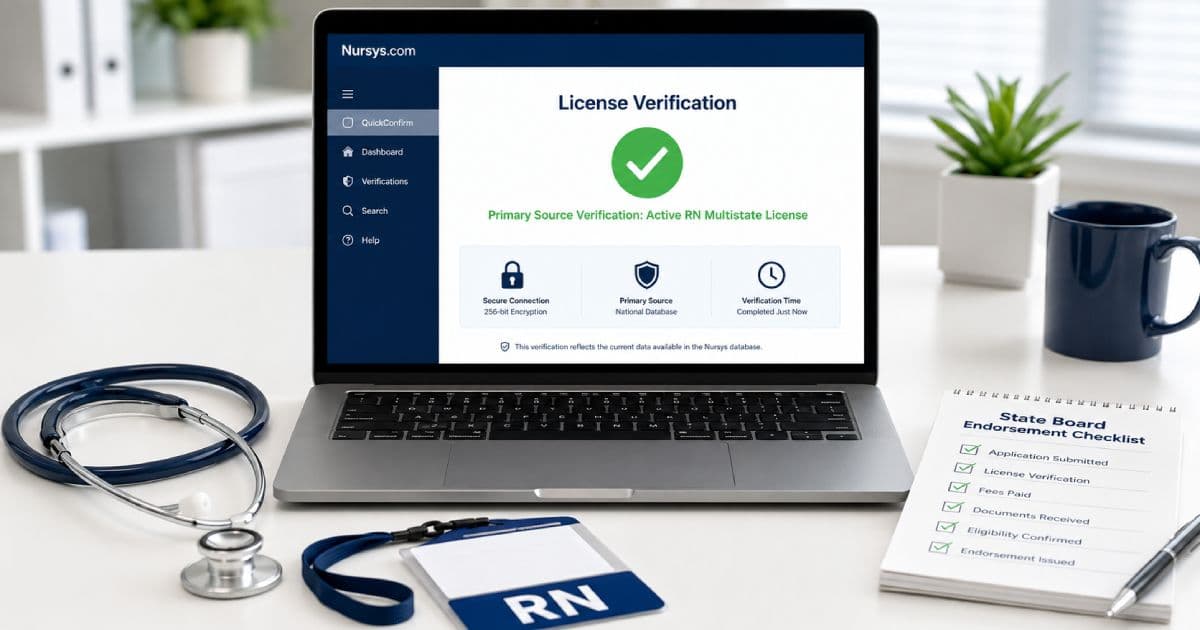
Nursys is one of the most important license-verification resources in U.S. nursing.
Nurses use it to check their records, send license verification for endorsement, monitor status changes, and confirm compact authority.
Employers use it to verify applicants, review publicly available discipline information, and monitor the licenses of employed nurses.
But “Nursys verification” can mean several different things.
A free QuickConfirm search is not the same as a paid endorsement verification. Neither is the same as enrolling in e-Notify.
Understanding those differences can prevent:
- A delayed endorsement application
- An incorrect assumption that a nurse may begin working
- Reliance on an outdated screenshot
- Failure to notice a license restriction or expiration
- Confusion about multistate practice authority
- Payment for the wrong service
This guide explains how Nursys works, what each service does, what nurses and employers should check, and when the issuing board of nursing remains the final source.
What Is Nursys?
Nursys is the national nurse licensure and discipline database maintained by the National Council of State Boards of Nursing, or NCSBN.
Participating nursing regulatory bodies submit information about:
- Registered nurse licenses
- Licensed practical nurse and vocational nurse licenses
- Advanced practice registered nurse licenses
- License status
- Expiration information
- Publicly available discipline
- Nurse Licensure Compact practice privileges
NCSBN describes Nursys as the only national database for nurse licensure verification, discipline, and practice privileges for RNs, LPN/VNs, and APRNs licensed in participating jurisdictions.
All Nurse Licensure Compact states participate in Nursys. Participation outside the compact varies by jurisdiction and by service.
Nursys does not grant or renew a nursing license.
The individual board of nursing or other nursing regulatory body:
- Receives the licensure application
- Determines eligibility
- Issues the credential
- Places conditions or restrictions on practice
- Renews or reactivates the license
- Investigates complaints
- Takes disciplinary action
- Corrects the official licensing record
Nursys receives and displays information submitted by those regulators.
The Four Nursys Functions to Know
| Function | Main purpose | Cost | Typical user |
|---|---|---|---|
| Licensure QuickConfirm | Look up license status, compact authority, and available discipline information | Free | Nurses, employers, recruiters, patients, and the public |
| Nurse License Verification | Send official license verification to a participating board for endorsement | $30 per license type, per destination board at the time of publication | A nurse applying for endorsement |
| e-Notify for Nurses | Receive alerts about a nurse's own license status, expiration, renewal, and public discipline | Free | Individual nurses |
| e-Notify for Institutions | Monitor a workforce roster and receive license-related alerts | Free | Employers and institutions |
The NCSBN ID supports these functions by connecting a nurse's records across licenses, states, and license types.
Is Nursys a Primary Source?
Participating boards designate Nursys as a primary-source-equivalent database for information they submit.
That matters because healthcare employers often must verify professional credentials from an authoritative source rather than accept:
- A paper license
- A wallet card
- A résumé
- A screenshot supplied by the applicant
- An email from a recruiter
- A verbal statement
NCSBN posts the information submitted by participating nursing regulatory bodies. It does not independently change a board's licensing decision.
The Nursys result also shows when a board last updated its data. That date helps the user evaluate how current the result is.
Employers should still follow:
- Applicable federal and state law
- Accreditation requirements
- Facility credentialing policy
- Payer or contract requirements
- Their legal counsel's guidance
The board remains the proper contact when a record is missing, unclear, or inconsistent.
What Information Can a Nursys Search Show?
The information available depends on the license, jurisdiction, service, and board participation.
A result may include:
- Nurse name
- License number
- NCSBN ID
- License type
- Issuing jurisdiction
- Original issue date
- License status
- Expiration date
- Multistate or single-state status
- Compact authority to practice
- Publicly available disciplinary documents
- The date the board last updated its information
Do not judge a record from one field alone.
For example:
- An active license may have public discipline history.
- A license may be active but limited by conditions or restrictions.
- A multistate license may lose multistate status after a primary-state-of-residence change.
- A license may be active in its issuing state but provide no authority in the state where the patient is located.
- A newly issued license may not appear immediately if the board has not yet sent the record.
How Nurses Use Nursys QuickConfirm
Licensure QuickConfirm is the free Nursys lookup service.
Nurses can use it to:
- Confirm that a newly issued license appears
- Check the displayed status before accepting a shift
- Confirm an expiration date
- Review whether the record shows single-state or multistate status
- Check authority to practice in compact states
- View publicly available discipline information
- Find the NCSBN ID associated with their record
- Give an employer enough information to perform its own verification
Step 1: Open Licensure QuickConfirm
Use the official Nursys website linked from NCSBN.
Avoid sponsored search results, unofficial “license lookup” websites, and services that charge for a free QuickConfirm search.
Step 2: Enter Identifying Information
Use the search fields available in the interface.
Depending on the search option, this may include:
- License number
- Nurse name
- State or jurisdiction
- License type
- NCSBN ID
A license number is usually the most precise starting point.
If searching by name:
- Use the legal name associated with the license
- Try a previous name if the nurse recently changed it
- Check spelling, suffixes, and hyphenation
- Use additional fields to distinguish nurses with similar names
Step 3: Confirm Identity
Do not assume the first matching name is the correct nurse.
Compare:
- Full name
- License number
- License type
- Issuing jurisdiction
- NCSBN ID, when available
- Other identifiers permitted by policy
An employer should have a reliable identity-matching process that protects personal information.
Step 4: Review Each License
Many nurses hold more than one credential.
A nurse may have:
- An RN license in one state
- An APRN license in the same state
- A single-state RN license elsewhere
- A multistate RN license from the primary state of residence
- An inactive license from a prior move
Check the exact license required for the position.
An active APRN record does not eliminate the need to verify RN authority when state law requires both. An RN license does not verify specialty certification or prescriptive authority.
Step 5: Check Status and Expiration
Look for terms such as:
- Active
- Current
- Expired
- Inactive
- Lapsed
- Suspended
- Revoked
- Surrendered
- Probation
Terminology varies.
An employer should determine what the displayed status means under the issuing board's rules.
Do not rely only on the expiration date. A future expiration date does not prove that the license is active and unrestricted today.
Step 6: Review Compact Authority
For an RN or LPN/VN relying on a multistate license, confirm:
- The home-state license is active
- The record shows multistate status
- The nurse has authority to practice in the remote state
- No restriction or discipline has removed that authority
- The nurse still meets primary-state-of-residence requirements
The compact-authority display is especially important for:
- Travel nursing
- Telehealth
- Telephone triage
- Remote case management
- Centralized staffing
- Cross-border home health
Step 7: Review Public Discipline
Read any linked public orders or documents.
Do not reduce the review to “discipline: yes” or “discipline: no.”
Determine:
- Which license was affected
- Which board issued the order
- Whether the action is current or historical
- Whether practice restrictions remain
- Whether monitoring or supervision is required
- Whether the action affects compact privileges
- Whether the position can comply with the order
Employers should use a consistent, job-related review process and follow applicable law.
Step 8: Check the Data Date
Nursys displays the date on which the board updated its information.
If the update date appears old, a current site notice identifies a reporting problem, or the result conflicts with the board website, contact the board before making a practice decision.
What QuickConfirm Does Not Do
A free QuickConfirm search does not:
- Submit license verification for endorsement
- Apply for a license
- Renew or reactivate a license
- Approve a nurse to begin work
- Replace employer onboarding
- Verify nursing education
- Verify specialty certification
- Verify an NPI
- Perform a criminal background check
- Show a complete employment history
- Provide a malpractice claims history
- Replace a federal exclusion check
- Guarantee that every board participates in every Nursys service
It answers a focused regulatory question: what license, discipline, and practice-authority information has the participating board submitted?
Nursys Verification for License Endorsement
Nurse License Verification is the paid Nursys service used when a nurse applies for licensure by endorsement.
The destination board may require proof that the nurse holds or held a license in another jurisdiction.
When both boards use the Nursys endorsement-verification service, the nurse can order verification through Nursys.
At the time of publication, the fee is:
$30 per license type, per destination board.
Examples:
- One RN license verification sent to one destination board: $30
- One RN verification sent to two destination boards: $60
- RN and LPN/VN verification sent to one destination board, if both are required: $60
Fees and participation can change. Confirm the current amount and destination-board availability before paying.
How to Order Endorsement Verification
- Read the destination board's endorsement instructions.
- Confirm which original or current licenses must be verified.
- Check whether each relevant board participates in Nursys verification.
- Open the official Nurse License Verification service.
- Identify the license and destination board carefully.
- Review the order before paying.
- Save the receipt or confirmation.
- Track the endorsement application through the destination board.
Once ordered, the verification is available immediately to the endorsing board through Nursys.
“Available immediately” does not mean the new license will be approved immediately.
The destination board may still need:
- A completed application
- Fees
- Fingerprints
- A criminal background check
- Nursing education records
- Exam information
- Name-change documents
- Work history
- Continuing education
- Legal or disciplinary documents
- English-language evidence
- Social Security or tax documentation, where required
For the complete process, read RN License by Endorsement: How to Transfer Your Nursing License.
When Nursys Verification Is Not Available
Not every nursing regulatory body participates in the paid verification service.
If the original or destination board is not available:
- Follow the destination board's instructions
- Request verification directly from the original board
- Use the board's paper or electronic verification process
- Pay any board-specific fee
- Confirm where the verification must be sent
Do not substitute a QuickConfirm screenshot unless the destination board explicitly accepts it.
QuickConfirm Versus Endorsement Verification
| Question | QuickConfirm | Nurse License Verification |
|---|---|---|
| Is it free? | Yes | No |
| Can an employer check status? | Yes | Not its main purpose |
| Does it send verification for endorsement? | No | Yes |
| Does it show compact authority? | When available | Intended for board-to-board verification |
| Can the public use it? | Yes | The nurse orders it for an application |
| Does ordering it approve a new license? | No | No |
This is the most important distinction in the Nursys system.
What Is Nursys e-Notify for Nurses?
e-Notify for Nurses is a free monitoring service.
A nurse can enroll and receive notices related to:
- License status changes
- Approaching expiration
- Renewal
- Public disciplinary action
- Other alerts made available through participating boards
This can help a nurse manage multiple licenses and notice unexpected changes.
It does not transfer responsibility for renewal to Nursys.
The nurse remains responsible for:
- Keeping contact information current
- Knowing each renewal deadline
- Completing continuing-education requirements
- Paying renewal fees
- Maintaining primary-state-of-residence records
- Stopping practice if authority expires or changes
What Is e-Notify for Institutions?
e-Notify for Institutions is a free service that allows employers and other eligible institutions to monitor nursing licenses.
An institution can maintain a roster and receive alerts when participating boards submit certain changes.
Potential benefits include:
- Earlier notice of expiration
- Faster awareness of status changes
- Notification of public disciplinary action
- Less dependence on periodic manual searches
- Better oversight of nurses licensed in several jurisdictions
- Support for telehealth and compact-workforce monitoring
e-Notify should supplement—not replace—initial credential verification.
A safe employer process generally includes:
- Verify before the nurse starts practice.
- Confirm identity and the exact license type.
- Confirm authority in the patient's jurisdiction.
- Review status, expiration, restrictions, and public discipline.
- Document the verification according to policy.
- Add the nurse to ongoing monitoring.
- Investigate every material alert promptly.
- Remove the nurse from monitoring when appropriate under retention policy.
An alert is a prompt to review the current record. It is not a complete employment decision.
What Is the NCSBN ID?
The NCSBN ID is a unique nurse identifier assigned when a nurse is first licensed.
It:
- Connects licenses across states and license types
- Remains assigned to the nurse for life
- Does not expire
- Helps distinguish nurses with similar names
- Reduces reliance on more sensitive identifiers
- Can be accessed without charge through Nursys services
The NCSBN ID is not:
- A nursing license number
- An NPI
- A Social Security number
- A certification number
- Permission to practice
A license number belongs to a particular credential and jurisdiction. The NCSBN ID connects the nurse's regulatory records more broadly.
How Employers Use Nursys License Verification
Employers use Nursys at several stages of the employment cycle.
1. Application Review
An employer may perform an initial check to confirm that the applicant appears to hold the license claimed.
This can identify:
- An incorrect license number
- A license in the wrong jurisdiction
- An expired license
- A mismatch in license type
- A single-state license presented as multistate
- Public discipline requiring further review
An early check should not replace final verification close to the start date.
2. Pre-Employment Credentialing
Before assigning nursing duties, the employer should verify:
- The correct person
- The required license type
- Current status
- Expiration information
- Any restrictions
- Public disciplinary documents
- Practice authority in the work state
- Compact authority, when used
- The board's last-update date
The employer should save or document the result according to policy.
A screenshot supplied by the nurse is weaker than an employer-generated verification because it can become outdated and may omit context.
3. Start-Date Verification
License status can change between the offer date and the first shift.
Employers may choose to verify again:
- Shortly before orientation
- On the start date
- Before independent patient assignments
- After a delay in onboarding
The exact timing should be defined in policy.
4. Ongoing Monitoring
e-Notify can alert the employer to changes after hire.
The institution should have a clear response plan for:
- An approaching expiration
- An expired license
- A new restriction
- Suspension or revocation
- A public disciplinary order
- Loss of multistate status
- A compact privilege change
- A mismatch between Nursys and the board
The response may include removing the nurse from the schedule while the matter is verified.
5. Travel and Agency Credentialing
Staffing agencies, travel-nurse companies, and receiving facilities may each perform their own verification.
A credentialing packet from an agency does not necessarily satisfy the facility's obligations.
The parties should define:
- Who performs primary-source verification
- Who checks compact authority
- How close to the start date verification occurs
- Who enrolls the nurse in ongoing monitoring
- Who responds to alerts
- How records are retained
6. Telehealth Credentialing
For nursing practice, the patient's location generally controls where practice occurs.
A telehealth employer should know:
- Where the nurse is physically located
- Where each patient is located
- Whether the nurse has authority in that jurisdiction
- Whether the nurse is relying on a single-state license or compact privilege
- Whether organizational services cross into noncompact jurisdictions
A nurse working from a compact state does not automatically have authority in every U.S. jurisdiction.
Employer Use and the Fair Credit Reporting Act
Nursys QuickConfirm terms require employer users to certify compliance with applicable Fair Credit Reporting Act obligations.
Employers should work with human resources and legal counsel regarding:
- Permissible use
- Applicant or employee authorization
- Required notices
- Accuracy disputes
- Pre-adverse and adverse-action procedures
- State consumer-reporting laws
- Record retention
This guide does not determine whether or how a particular employment action may be taken.
How to Read Common License Fields
License Type
Confirm that the credential matches the role.
Common examples include:
- RN
- LPN
- LVN
- APRN
- Certified nurse practitioner
- Clinical nurse specialist
- Certified registered nurse anesthetist
- Certified nurse-midwife
APRN titles and regulatory structures vary by state.
Specialty certification may need separate verification through the certifying organization.
License Status
The status describes the board's current classification of the credential.
Do not interpret unfamiliar terms without reading the board's definitions.
“Inactive” may mean the credential exists but does not authorize practice. “Probation” may allow practice subject to conditions. “Active” may coexist with a public order.
Expiration Date
The expiration date is one part of the record.
Check both:
- Whether the date has passed
- Whether the current status authorizes practice
Some states display renewal or status information differently.
Original Issue Date
This identifies when the board first issued the credential.
It does not prove continuous practice, current competency, or employment history.
Multistate Status
A multistate license permits an eligible RN or LPN/VN to practice in the home state and other compact states under the Nurse Licensure Compact.
It is tied to the nurse's primary state of residence.
The nurse must follow the nursing laws of the state where the patient is located.
Public Discipline
Public discipline may include:
- Reprimand
- Fine
- Probation
- Practice restriction
- Suspension
- Revocation
- Voluntary surrender
- Remedial requirements
Read the order rather than relying on a label.
Nursys and the Nurse Licensure Compact
Nursys plays a central role in compact-license verification.
An employer or nurse can use QuickConfirm to review where the nurse has authority to practice.
Home-State License
A nurse receives a multistate license from the primary state of residence if:
- The home state is a compact member
- The nurse legally resides there
- The nurse meets uniform multistate licensure requirements
- The board grants multistate status
Owning property, taking a temporary assignment, or using a mailing address does not necessarily establish primary residence.
Remote-State Privilege
The nurse does not receive a separate physical license from every compact state.
The multistate license creates a privilege to practice in participating remote states.
The remote state's Nurse Practice Act and rules govern practice with patients located there.
Moving Between States
A move can change compact authority.
The nurse should:
- Determine whether the new primary residence is compact or noncompact
- Apply under the current NLC moving rules
- Update the home-state board
- Obtain any required single-state license
- Confirm the Nursys record after issuance
- Notify employers of authority changes
Do not assume a prior multistate license remains valid indefinitely after a permanent move.
Discipline and Compact Privileges
A home-state action can affect multistate authority.
A remote state may also restrict the nurse's privilege to practice in that state.
Employers should check the full authority-to-practice information, not only the home license.
Nursys Versus a State Board License Lookup
Both can be useful.
Use Nursys When:
- You want a national search
- You need to review licenses across participating boards
- You need compact authority information
- You want free QuickConfirm verification
- You need to order participating-board endorsement verification
- You want ongoing e-Notify monitoring
Use the State Board Website When:
- The board does not participate in the relevant Nursys service
- The Nursys record is missing
- The license was issued very recently
- A temporary permit is not displayed
- The board has posted a data-delay notice
- You need state-specific definitions
- You need application or renewal status
- You need details unavailable in Nursys
- The Nursys result conflicts with another official source
When a material discrepancy remains, contact the issuing board.
What to Do If a License Does Not Appear
A missing result does not automatically prove that the person is unlicensed.
Possible explanations include:
- Incorrect license number
- Typographical error
- Name change
- Search under a previous name
- Wrong state or license type
- Newly issued license not yet submitted
- Board participation limits
- Older record not available electronically
- A temporary credential not reported to Nursys
- A data-transmission problem
- A board-specific outage or notice
Try this sequence:
- Recheck the search information.
- Search by license number and jurisdiction.
- Search under current and prior legal names.
- Check the Nursys participating-board information.
- Read any active data-quality notice.
- Check the issuing board's official lookup.
- Contact the board.
- Use the Nursys Missing Record Inquiry when appropriate.
Do not allow practice until the employer has verified valid authority through an accepted source.
What to Do If Nursys Shows Incorrect Information
Nursys displays data submitted by nursing regulatory bodies.
If a nurse believes a record is inaccurate:
- Save the result and note the search date.
- Compare it with the issuing board's public record.
- Gather supporting documents.
- Contact Nursys Support or use the available challenge process.
- Contact the nursing regulatory body that owns the record.
- Follow up until the board confirms the correction.
- Notify an employer if the discrepancy affects work eligibility.
- Recheck Nursys after the board submits updated information.
Nursys forwards record challenges to the appropriate regulator. The regulator determines whether and how the official record should be corrected.
Nursys cannot independently rewrite a board's licensing decision.
Newly Issued and Temporary Licenses
New licenses may take several days to appear after issuance if the board has not yet transmitted the record.
Temporary licenses and permits may also be handled differently by each board.
If a temporary permit does not appear:
- Check the board's official lookup
- Confirm the permit number
- Verify the effective and expiration dates
- Read any practice restrictions
- Ask the employer which primary source it accepts
- Contact the board if authority is unclear
Never use an application receipt as proof that a permit was issued.
For more detail, read Temporary Nursing License: What It Is and How It Works.
Common Nursys Mistakes
Mistake 1: Paying for Verification When You Only Need a Status Check
QuickConfirm is free.
The $30 service is for endorsement verification sent to a destination board.
Mistake 2: Sending a QuickConfirm Screenshot for Endorsement
A public lookup is not automatically an official endorsement verification.
Follow the destination board's instructions.
Mistake 3: Treating “Active” as “Unrestricted”
Read the discipline and restriction information.
Mistake 4: Checking Only the Expiration Date
Status may change before expiration.
Mistake 5: Assuming a Compact-State License Is Multistate
A compact state can issue a single-state license.
Confirm the multistate designation.
Mistake 6: Ignoring Patient Location
Remote nursing practice occurs where the patient is located for licensing purposes.
Mistake 7: Relying on a Saved Screenshot
A screenshot is a moment in time.
Verify close to the start date and use ongoing monitoring.
Mistake 8: Assuming Every Board Uses Every Nursys Service
Check participation before ordering or relying on a particular workflow.
Mistake 9: Treating Nursys as a Complete Background Check
It is a nurse-regulatory database, not a replacement for every required employment screen.
Mistake 10: Ignoring the Board's Last-Update Date
A result is only as current as the submitted data.
Security and Scam Prevention
Use the official Nursys and NCSBN websites.
Be cautious if a website:
- Charges for a basic QuickConfirm search
- Requests payment by gift card, wire transfer, or cryptocurrency
- Demands a Social Security number for a public lookup
- Claims it can “clear” discipline
- Guarantees immediate endorsement approval
- Uses a misspelled web address
- Pressures you to act without contacting the board
Do not post license-verification documents containing personal information on social media.
If a caller claims to represent a board:
- End the call.
- Find the board's published phone number independently.
- Call the board directly.
- Do not transfer money or disclose sensitive information based on an unsolicited threat.
Nurse Nursys Checklist
Before a job, endorsement application, renewal, or interstate move:
- [ ] Confirm your legal name matches the licensing record.
- [ ] Find and save your NCSBN ID.
- [ ] Check every relevant license in QuickConfirm.
- [ ] Confirm status and expiration.
- [ ] Read any public discipline documents.
- [ ] Confirm single-state or multistate status.
- [ ] Verify authority in each patient jurisdiction.
- [ ] Review the board's last-update date.
- [ ] Enroll in e-Notify.
- [ ] Maintain separate renewal reminders.
- [ ] Order paid verification only when an endorsement board requires it.
- [ ] Confirm the destination board participates.
- [ ] Save payment and submission confirmations.
- [ ] Contact the issuing board about discrepancies.
- [ ] Do not work until valid authority is confirmed.
Employer Nursys Checklist
Before assigning nursing practice:
- [ ] Match the result to the correct person.
- [ ] Verify the required license type.
- [ ] Check the issuing jurisdiction.
- [ ] Review current status.
- [ ] Check the expiration date.
- [ ] Review restrictions and public discipline.
- [ ] Confirm compact authority where applicable.
- [ ] Verify authority where the patient is located.
- [ ] Note the board's last-update date.
- [ ] Resolve missing or conflicting records with the board.
- [ ] Document verification under facility policy.
- [ ] Verify again if onboarding is delayed.
- [ ] Add the nurse to e-Notify monitoring.
- [ ] Define who investigates alerts.
- [ ] Follow applicable FCRA and state-law requirements.
Frequently Asked Questions
1. Is Nursys license verification free?
Licensure QuickConfirm, e-Notify for Nurses, and e-Notify for Institutions are free.
Nurse License Verification for endorsement currently costs $30 per license type, per destination board. Check the current Nursys fee before ordering.
2. Is Nursys the same as a state board of nursing?
No.
Nursys is the national database operated by NCSBN. State and territorial nursing regulatory bodies issue licenses, make licensing decisions, investigate complaints, and submit information to Nursys.
3. Can I use QuickConfirm for license endorsement?
Not unless the destination board explicitly says it will accept that result.
Most participating-board endorsement workflows require the paid Nurse License Verification service. Follow the destination board's instructions.
4. How much does Nursys endorsement verification cost?
At the time of publication, the cost is $30 per license type, per destination board.
One RN verification sent to two destination boards would therefore cost $60.
5. How long does Nursys license verification take?
When ordered through the participating-board endorsement service, verification is available immediately to the destination board.
The board's application review can still take days, weeks, or longer. Verification availability is not license approval.
6. Can an employer verify my nursing license through Nursys?
Yes.
Employers can use free QuickConfirm to review participating-board license status, applicable public discipline, and practice-authority information. They can also use free e-Notify for ongoing monitoring.
7. What is the difference between QuickConfirm and e-Notify?
QuickConfirm is an on-demand search.
e-Notify is an ongoing alert service. Employers should perform an initial verification and then use monitoring to learn about later changes.
8. Does Nursys show disciplinary action?
Nursys can display publicly available discipline information submitted by participating nursing regulatory bodies.
Read the underlying order to determine whether it is current, historical, restricted to one license, or subject to conditions.
9. Why is my new nursing license not showing in Nursys?
The board may not have transmitted the newly issued record yet.
Check the license number, name, jurisdiction, board participation, active site notices, and the board's official lookup. Contact the board if the record remains missing.
10. Does an active Nursys result mean I can work in every compact state?
Not necessarily.
Confirm that the license is designated multistate and that the nurse has authority to practice in the remote state. A compact-state board can issue a single-state license.
11. Can Nursys verify an APRN license?
Nursys includes APRN information from participating jurisdictions.
Employers may also need to verify the underlying RN license, role-specific authority, prescriptive authority, and national certification, depending on state law and the position.
12. What is an NCSBN ID, and is it my license number?
The NCSBN ID is a lifelong unique identifier that connects a nurse's regulatory records.
It is not the same as a state license number, NPI, certification number, or Social Security number.
13. Can Nursys correct an error in my license record?
The nursing regulatory body that submitted the record controls the official data.
Nursys can receive a challenge and forward it to the appropriate regulator, but the board determines the correction. Contact both Nursys Support and the issuing board when needed.
14. Does Nursys replace an employer background check?
No.
Nursys verifies nurse-regulatory information from participating boards. It does not replace criminal-history screening, exclusion checks, identity verification, education verification, employment references, specialty-certification verification, or other checks required by law or policy.
The Bottom Line
Nursys gives nurses and employers a national way to verify licensing information, compact authority, and publicly available discipline from participating nursing regulatory bodies.
The safest approach is to use the correct service for the correct task:
- QuickConfirm for a free current-status lookup
- Nurse License Verification for paid endorsement verification
- e-Notify for ongoing alerts
- NCSBN ID for reliable identification across licenses
Always review the exact license, jurisdiction, status, restrictions, compact authority, and board update date.
When a record is missing or conflicting, stop and confirm with the issuing board before practice begins.